

How to do a quick backup in easy steps:
1.We will Go to section Jira : System / Backup
2.We will Name the file as the date and time as for example 25022021721 ( 25 FEB 2020 17h 21 min )
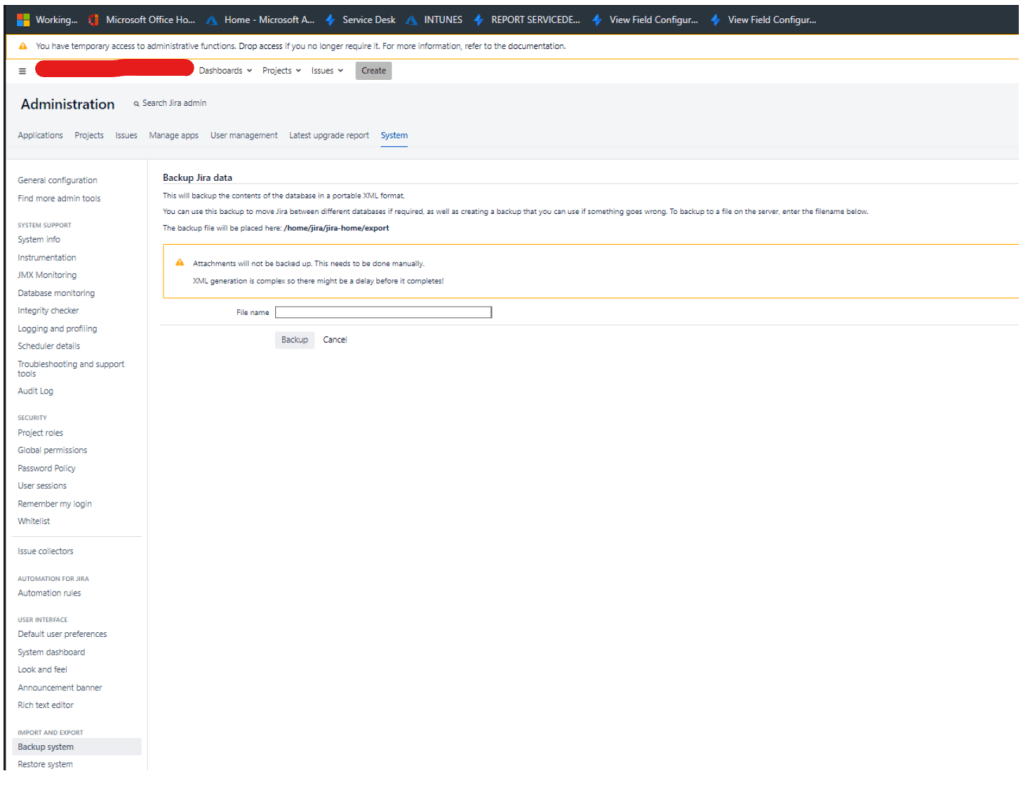
3.Now the backup will be place on the linux computer /home/jira/jira-home/export ( beware it is not the same location where you will restore from )
4.Now we will log in into the server via SSH
5.Run the following
$sudo su ( change to superuser max permissions, something like the UAC )

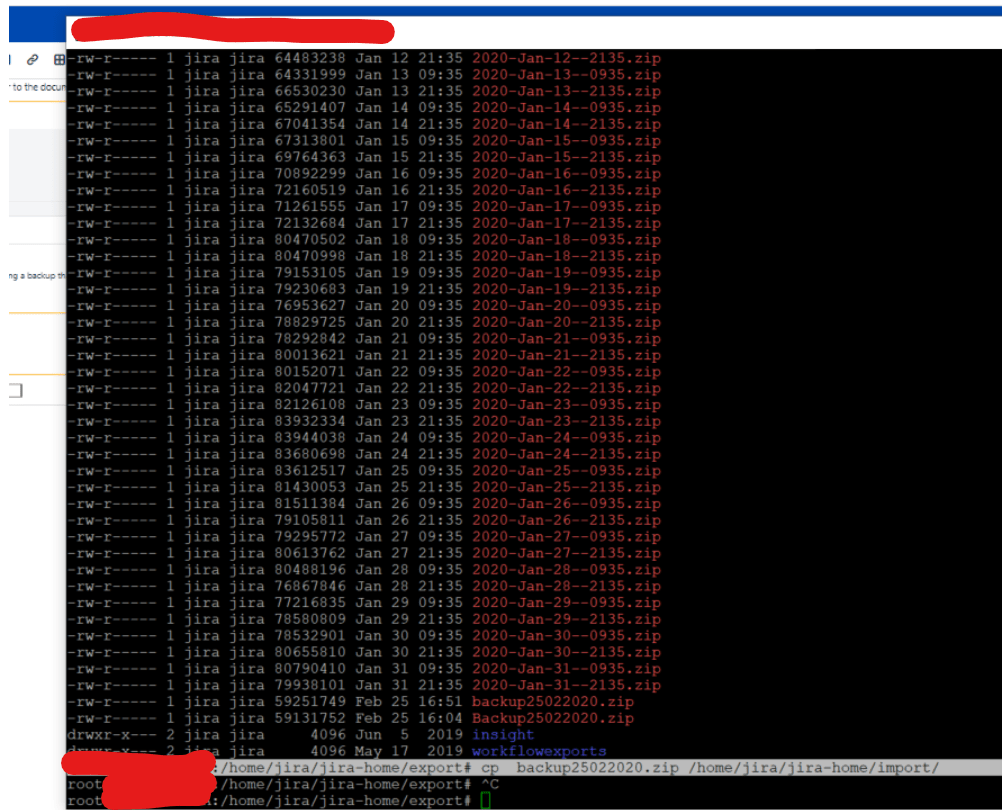
$cd linux computer /home/jira/jira-home/export ( go into the export folder )

$ls -l ( check if the backup you have done is there , in this case we can see it last one )

$cp "filename.zip" /home/jira/jira-home/import ( copy the file to Import folder )
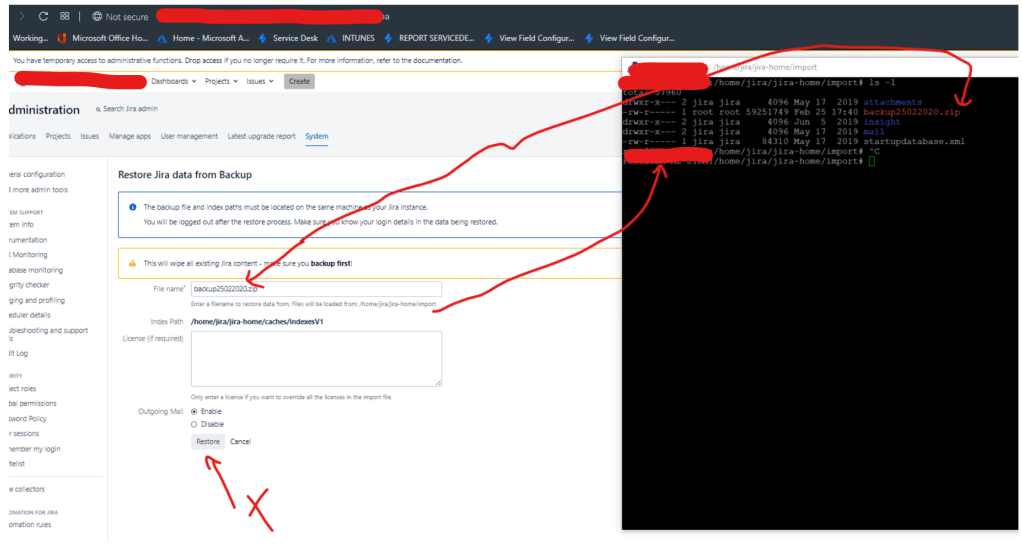
6. Now the backup should be able to be restored from the restore menu
 7 IT & Security